It starts with a line you have written a hundred times.
Lines like this sound fine on paper. The trouble starts in the interview.
For Customer Success and Support
Turn what you have actually done into a master CV per direction, inside the ChatGPT or Claude desktop app.
Not ready to buy? Take the free CV line test
Each direction needs its own stories and vocabulary.
The same rewrite, from scratch, for every role.
Eight years of evidence, scattered across old documents.
Scroll through it. This is the whole method, one line at a time.
Lines like this sound fine on paper. The trouble starts in the interview.
What exactly did you do, how did you do it, and how do you know? A line with no evidence behind it has no answer.
Every line comes from an evidence item in your folder: what you did, the result and the source. Gaps stay visible instead of being dressed up.
One evidence bank feeds a master CV per direction, so the third direction takes an evening.
Free, before you buy
Pick up to three lines from your CV. Answer a few honest questions about each. You leave with a verdict for every line and a version you can stand behind in any interview.
Line 1 of 3
Helped new customers get set up after they signed.
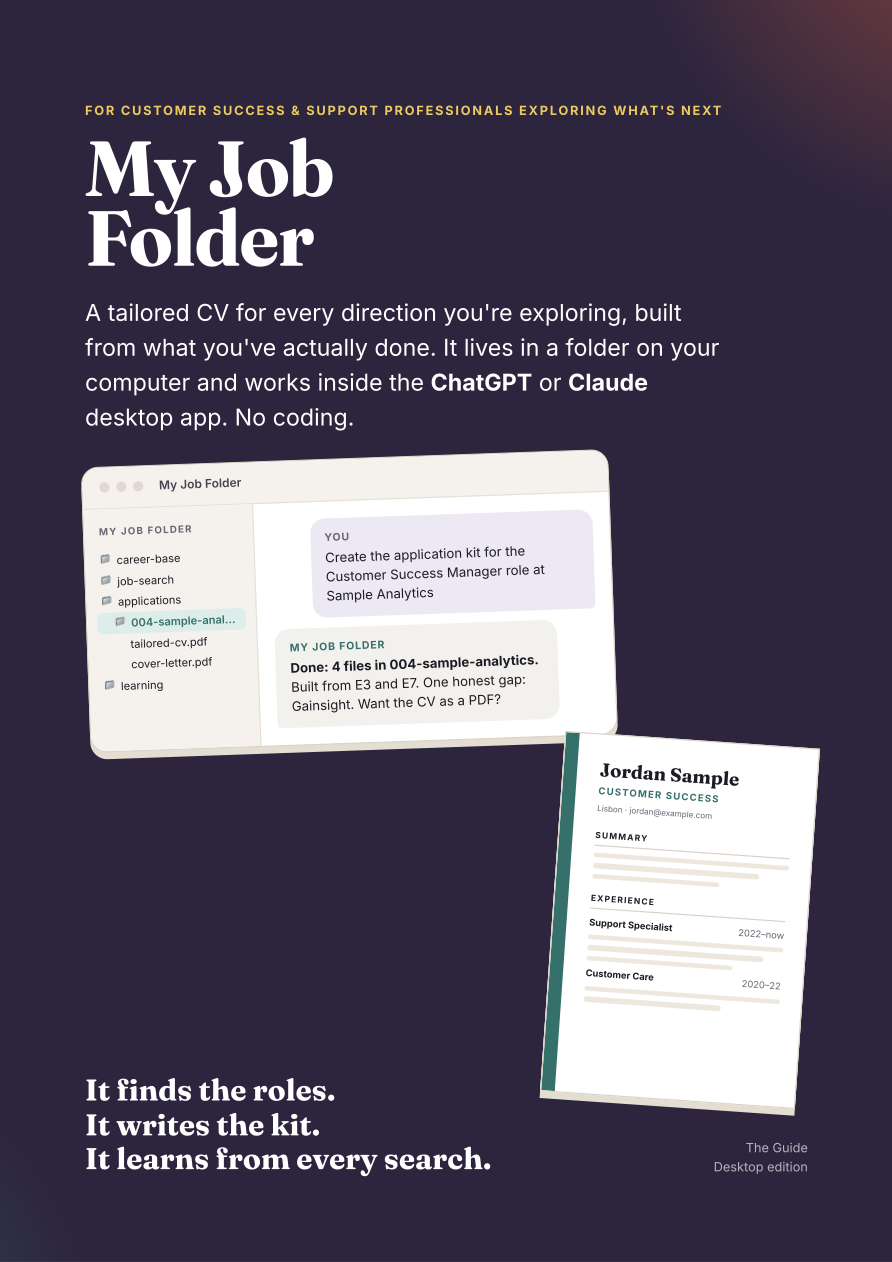
Your evidence, preferences, CVs, application kits and lessons live in ordinary files you can open. The agent reads the folder, does the task, then saves the useful part for next time.
Your folder
career-base/
What you want, and what you have done, each backed by a source. Built once, then kept growing.
job-search/
And what you don’t want to see again, so the next search skips it.
applications/
Holding the CV, cover letter, form answers and PDFs, ready for your review.
learning/
Your writing voice, your corrections, and what happened with each application.
.agents/skills/
Job hunting, application kits, CV writing and design, interview prep, and improving itself.
Turn your real documents and answers into verified evidence, preferences and master CVs.
Search several sources, check the employer page, skip duplicates, then score real fit.
Every requirement maps to evidence or stays visible as a gap. No keyword theatre.
Draft the tailored CV, cover letter, form answers and review checklist for you to approve.
Corrections, preferences and outcomes go back into plain files. Learned rules never beat truth rules.
The honest bit
This is not a promise of interviews. It is a way to prepare applications that can survive a reference check and an interview follow-up.
Everything comes from your folder or from what you tell it. New facts become evidence before they are used.
No invented numbers, titles, tools, team sizes, ownership or targets. Ever.
Every line must survive one question:
“What exactly did you do, how did you do it, and how do you know?”
Try it on your own CV: take the free CV line testA requirement you cannot back up is named as a gap, not hidden behind clever wording.
It prepares only what you ask for. It never applies, fills in forms or contacts anyone.
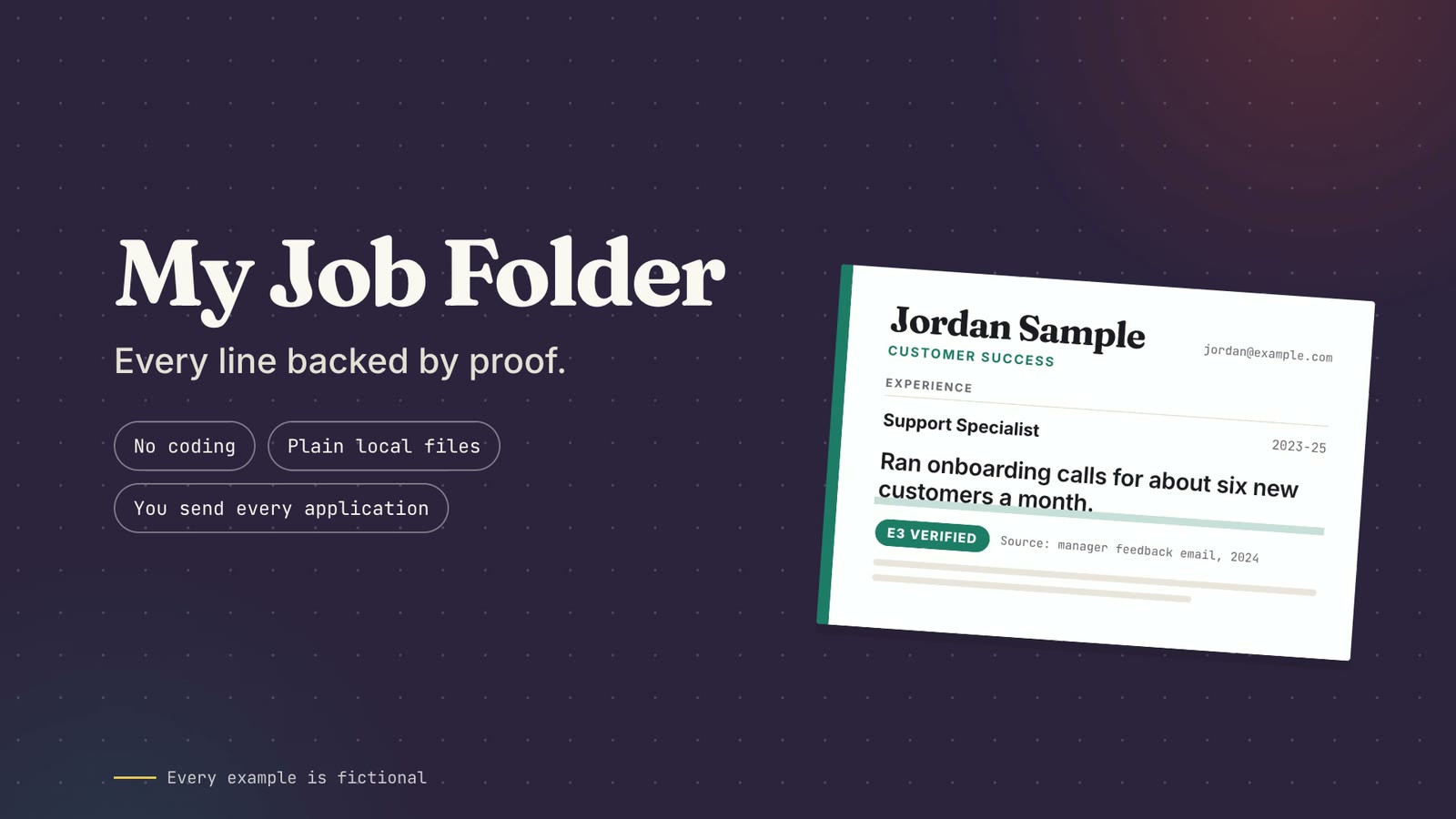
E3 · verified · Jordan Sample
Ran onboarding calls for new small-business customers.
OK to say
“Ran onboarding calls for about six new small-business customers a month.”
Do not stretch into
Designed the onboarding programme. Managed enterprise accounts.
Every rule above is built in. Compare the kit and the guide
The number is not a prediction. Every point maps to evidence, preferences or a named practical requirement.
Why it fits
Gaps
My Job FolderChecked open today. Want me to create the application kit?
The work you want counts, but it is not dressed up as experience.
A tool or responsibility you cannot support remains a visible gap.
A score helps compare roles; it never applies on your behalf.
If a hard limit fails, such as location, work authorisation or a required language, it recommends skip whatever the score.
The examples, fit categories and truth checks are written for Customer Success and Customer Support work. English only, for now.
Choose one level
Both options use the desktop app plan you already pay for. There is no extra software account here.
The guide teaches you to build it. The kit is the built version plus the guide.
Guide
$4.99
Build it yourself, in six stages.
Getting a version running took one morning. Getting one that would not quietly overstate a person’s experience took five more weeks. The eight corrections from those weeks, an estimated four to seven hours of rework, are already designed into the prompts you paste.
Six prompts instead of twenty-plus round trips, which is also less of your daily message allowance spent rebuilding the same thing.
Guide + ready-made folder
$24.99
Skip the build. Start tailoring tonight.
The folder, the rules and all eight skills, already built and tested. Put your CVs in, say Build my career base, and you are scoring real roles the same evening.
What you are buying is not an hour. It is certainty. The build takes about an hour when it goes right. The eight corrections in the guide are the record of what “goes wrong” costs.
Try the kit for 14 days. If you cannot get it running on your computer, ask within 14 days of buying and you get a full refund. No proof required, no explanation needed. A setup you cannot complete is not worth keeping your money for. The guide is a digital download you can read in full the moment you buy it, so it is not refundable.
Secure checkout by Gumroad, which handles payment, tax and your download link.
Treat it as a lead generator, not a live feed. What an assistant can reach of a job board is often stale or incomplete, so every role is marked checked open or not checked yet. Roles you find yourself can be pasted straight in, and that usually works better than the search alone.
You choose the direction. It recommends the fewest CVs that cover the roles you want, and builds a strong one for each.
No. You put files in a folder and type sentences.
A $20 ChatGPT Plus or Claude Pro plan and that app’s desktop version, on a Mac or a Windows computer. My Job Folder was built on a Mac. The desktop apps also run on Windows and the folder is plain files, so it should work there too, and if it does not, the kit’s 14-day refund covers you.
In a folder on your computer. What the assistant reads is processed by OpenAI or Anthropic under your account settings; Claude Cowork runs tasks in the cloud.
No, and nothing can promise that. It makes an application you can defend in a reference check.
The guide teaches you to build it. The bundle is the built version plus the guide.
The kit: 14 days, no questions asked. If you cannot get it running, ask within 14 days of purchase for a full refund, with no proof and no explanation required. The guide is not refundable, because it is a document you can read in full the moment you buy it. If you are unsure which to choose, the kit gives you 14 days to try it. Refunds are handled through the store checkout. Consumers in the EU and UK keep their statutory rights in addition to this.